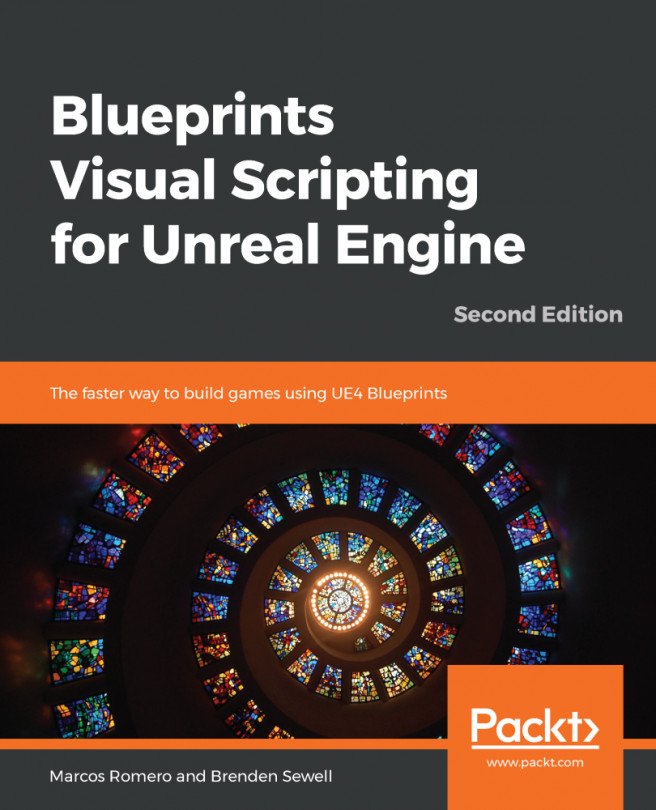
Exploring Unreal Engine Blueprints: Level & Class Types Explained
Unreal Engine has revolutionized game development, making sophisticated game creation more accessible than ever before. At the heart of this accessibility lies Blueprint, Epic Games' powerful visual scripting language. For many aspiring developers, the initial dive into Unreal Engine often brings up questions about C++ versus visual scripting. Let's clarify: while C++ is indeed the underlying language that builds Unreal Engine itself and can be used for highly optimized or complex systems, the vast majority of game logic, from basic interactions to intricate mechanics, can be implemented purely with Blueprints. This article will serve as a comprehensive
blueprint visual scripting tutorial, explaining what Blueprints are and, crucially, detailing the differences and applications of its two primary types: Level Blueprints and Blueprint Classes.
What Exactly is Unreal Engine Blueprint?
Imagine coding without writing a single line of text. That's the essence of Unreal Engine Blueprint. It’s a node-based visual scripting system that allows you to create gameplay elements and logic by connecting graphical nodes in a flowchart-like interface. Each node represents a specific action, event, or data point, and by chaining them together, you construct complex sequences of operations. This intuitive approach significantly lowers the barrier to entry for game development, empowering designers, artists, and programmers alike to prototype and implement game features with remarkable speed.
Blueprints are incredibly versatile and can control nearly every aspect of your game. Here's a glimpse of what you can achieve:
*
Game Rules & Logic: Define win/loss conditions, scoring systems, game state management, and progression.
*
Player Interactions: Customize player characters with different meshes or materials, implement movement controls, and manage inventory systems.
*
Camera Behavior: Create dynamic camera angles, cinematic sequences, or third-person/first-person camera logic.
*
Input Systems: Modify how players interact with your game, mapping keyboard presses or controller inputs to specific actions.
*
Interactive Items: Develop weapons, spells, collectibles, power-ups, triggers, and other interactive props.
*
Dynamic Environments: Create randomly generated elements, procedural asset placement, or environmental puzzles.
The power of Blueprint lies in its ability to abstract away the complexity of traditional coding, allowing you to focus on the creative aspects of game design.
Diving Deep into Blueprint Types: Level vs. Class
Understanding the different types of Blueprints is fundamental to efficient and organized game development in Unreal Engine. While both serve to build game logic visually, they are designed for distinct purposes based on scope and reusability. Mastering when to use a Level Blueprint versus a Blueprint Class is a cornerstone of any effective
blueprint visual scripting tutorial.
Level Blueprints: Orchestrating the Scene
The Level Blueprint is a special type of Blueprint uniquely tied to a specific level (or map) in your game. Every level you create in Unreal Engine comes with its own Level Blueprint, acting as the global event graph for that particular environment. Think of it as the conductor of a symphony, specifically for that one performance.
Key characteristics and use cases:
*
Level-Specific Logic: It's designed for events and interactions that are unique to a single level. For instance, triggering a unique cutscene when a player enters a specific area, opening a particular door when certain conditions are met within *that* level, or dynamically changing lighting and environmental effects as the player progresses through *that* specific map.
*
Actor Instance Interaction: The Level Blueprint is excellent for binding events to specific instances of Actors placed directly in the level. If you have a unique lever Actor placed in your level that should only control a specific gate in the same level, the Level Blueprint is a suitable place to manage that interaction.
*
Dynamic Loading & Sequencer Integration: It provides mechanisms for dynamically loading content or integrating with cinematic sequences (formerly Matinee, now Sequencer) that are relevant only to that level.
*
Limitations: The most significant limitation of Level Blueprints is their lack of reusability. Logic defined in a Level Blueprint cannot be easily transferred or reused in other levels or for other instances of similar objects. It’s tightly coupled to its parent level.
In essence, if an interaction or piece of logic applies only to the current level and its specific Actor instances, and won't be needed anywhere else, the Level Blueprint is often the go-to choice.
Blueprint Classes: Building Reusable Game Objects
In stark contrast to the Level Blueprint, a Blueprint Class (often just called a "Blueprint") is a reusable asset that defines a new class or type of Actor. It's not tied to a specific level but rather acts as a template or a factory blueprint for creating multiple instances of a game object that share common characteristics and behaviors. If the Level Blueprint is a specific symphony performance, a Blueprint Class is the musical score itself – something that can be performed repeatedly by different orchestras.
Key characteristics and use cases:
*
Reusability & Modularity: This is the Blueprint Class's superpower. You create a Blueprint Class once, and you can then place as many instances of it as you like into any level. Every instance will inherit the logic and properties defined in the Blueprint Class.
*
Defining New Actor Types: From your player character to every collectible item, enemy AI, interactive door, weapon, or user interface widget – if it's a distinct game object that needs its own logic and can appear multiple times or in multiple levels, it should be a Blueprint Class.
*
Inheritance: Blueprint Classes support inheritance. You can create a parent Blueprint Class (e.g., "BP_BaseWeapon") and then create child Blueprint Classes (e.g., "BP_Pistol," "BP_Shotgun") that inherit its core functionality and properties, allowing you to quickly create variations with minimal effort.
*
Encapsulation: All the logic, variables, and components related to a specific game object are contained within its Blueprint Class, making your project organized and easier to manage.
For the vast majority of your game's interactive elements and systems, Blueprint Classes will be your primary tool. They are essential for building a scalable, maintainable, and robust game.
Choosing the Right Blueprint for Your Task
Deciding between a Level Blueprint and a Blueprint Class boils down to a single question: *Is this logic unique to this specific level, or is it a reusable piece of functionality for a game object?*
*
Use a Level Blueprint when:
* You need to handle global events specific to the current level (e.g., opening a unique gate only in Level 1).
* You want to interact with specific, unique Actor instances placed in the level that don't need to be replicated or reused elsewhere (e.g., a specific light switch that only turns on/off a single, hard-coded light in the scene).
* You are orchestrating a cinematic or a unique level sequence.
*
Use a Blueprint Class when:
* You are creating any interactive game object that might appear more than once (e.g., collectible coins, enemy characters, interactive doors, weapons).
* You are defining a new type of Actor or component.
* You want to encapsulate functionality that can be easily dropped into any level.
* You are building core game systems like player characters, game modes, or UI elements.
In general, lean towards Blueprint Classes. They promote good development practices by encouraging reusability and modularity, which are critical for larger projects and teamwork.
Mastering Blueprint Visual Scripting: Your Learning Path
Embarking on your journey to master Blueprint visual scripting is an exciting endeavor. While the initial learning curve is gentler than traditional coding, becoming proficient requires dedication and practice. Here's a recommended learning path to guide you:
1.
Familiarize Yourself with the Unreal Editor: Before diving into Blueprints, understand the basics of the Unreal Engine editor – navigation, placing Actors, working with components, and accessing content.
2.
Core Blueprint Concepts: Start with the fundamentals. Learn about Events (like "Event BeginPlay" or "Event Tick"), Variables (integers, booleans, vectors, etc.), Functions (reusable blocks of logic), and Control Flow (branches, loops). These are the building blocks for any
Unreal Engine Blueprint: Master Visual Scripting, No C++ Needed.
3.
Working with Actors and Components: Understand how to add components (meshes, collision, audio) to your Blueprint Classes and how to interact with them through Blueprint logic.
4.
Project-Based Learning: The best way to learn is by doing. Follow beginner-friendly tutorials that guide you through creating small game demos. This will help solidify your understanding of concepts in a practical context. Many excellent resources are available online, from official Epic Games documentation to community-driven channels.
5.
Advanced Blueprint Topics: Once you're comfortable with the basics, explore more advanced topics like Blueprint Interfaces (for inter-Blueprint communication), Enums and Structures (for organizing data), Blueprint Macro Libraries (for creating reusable node graphs), and working with data assets.
6.
Practice, Practice, Practice: Continuously challenge yourself to implement new features and iterate on your projects. Don't be afraid to experiment, break things, and then fix them. The Unreal Engine community forums and official documentation are invaluable resources when you get stuck. For more structured guidance, consider following a comprehensive
Unreal Engine Blueprint Tutorial: Build Game Logic Visually that takes you from beginner to advanced concepts.
Conclusion
Unreal Engine Blueprints offer an incredibly powerful and accessible pathway into game development. By abstracting the complexities of text-based coding into an intuitive visual system, they empower creators to rapidly prototype, iterate, and bring their game ideas to life. A clear understanding of the distinctions between Level Blueprints and Blueprint Classes is crucial for building organized, efficient, and scalable projects. Whether you're orchestrating unique level-specific events with Level Blueprints or crafting reusable game objects with Blueprint Classes, mastering these tools will unlock your full potential within the Unreal Engine ecosystem. Dive in, experiment, and enjoy the visual scripting journey!